
Google Ads
Google Ads
Performance Max: how it works, when to use it and how to keep control
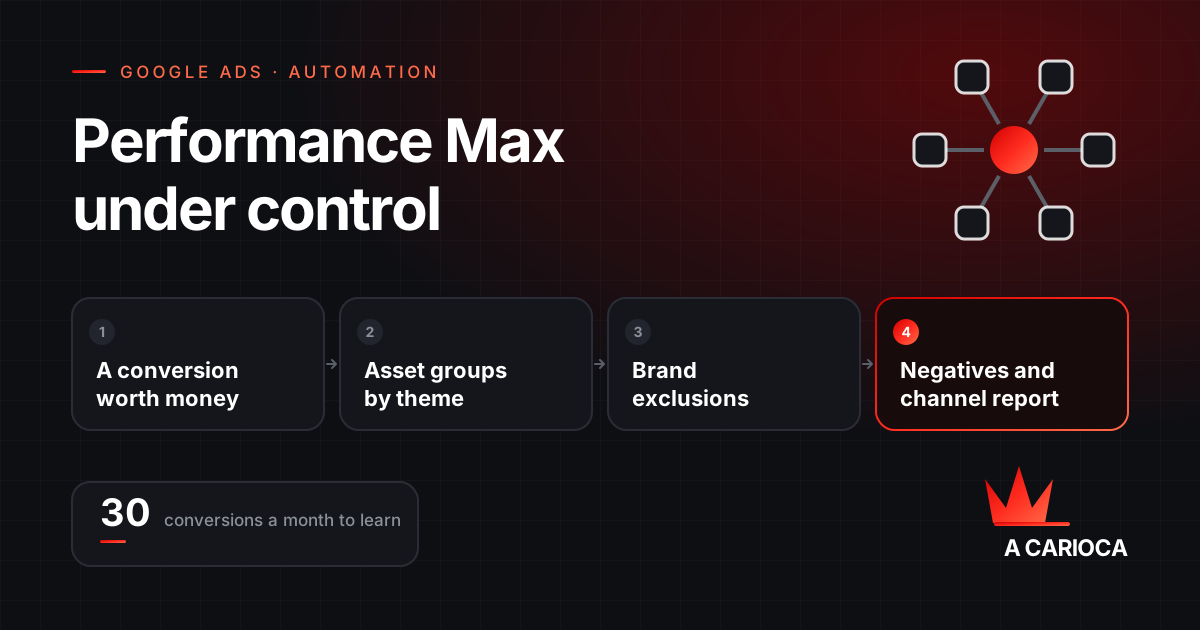
Performance Max is the Google Ads campaign that serves ads on Search, Shopping, YouTube, Display, Discover, Gmail and Maps from a conversion goal, a budget and a set of assets, leaving channel, audience and bid to automation. It works well with conversions that represent sales and enough volume to learn (30 a month or more). To keep control: brand exclusions, account-level negative keywords, asset groups by theme, URL expansion off where needed and the channel report reviewed weekly. The biggest risk is not spending badly; it is optimising efficiently for the wrong conversion.
In short
- One campaign, every Google channel, driven by a conversion goal; automation decides channel, audience and bid.
- Needs a conversion that represents money and around 30 conversions a month to learn.
- Asset groups by theme, with complete text, images and video and first-party audience signals.
- Controls to configure: brand exclusions, account negatives, channel report, placement exclusions, URL expansion.
- Judge it by total account conversions, not the campaign CPA, to catch cannibalisation.
How Performance Max works
Performance Max is a goal-driven campaign. Instead of choosing channels, keywords and audiences, the advertiser provides three things: a conversion goal and expected value, a budget with automated bidding, and assets (headlines, descriptions, images, videos, logos and, for stores, the Merchant Center feed). The system assembles those assets into ads and serves them wherever it estimates the highest probability of conversion.
| You define | The system decides |
|---|---|
| Conversion goal and value | Which channel each impression runs on |
| Budget and bid strategy (target CPA or ROAS) | The bid in each auction |
| Asset groups: text, images, videos, feed | How assets are combined into each ad |
| Audience signals (a suggestion, not a restriction) | Who to show to, beyond the signals |
| Exclusions: brand, negatives, placements, locations | Which searches the ad answers |
The central point: audience signals are suggestions. The campaign uses who you indicated as a starting point and expands to whoever the model finds similar. That is what gives reach and also what removes control.
When to use it and when not to
- Works well: e-commerce with a product feed and conversion volume; lead generation with a well-defined conversion and dozens of conversions a month; accounts that have exhausted search demand and need reach on other channels.
- Works badly: new accounts with no conversion history; businesses where a wrong click is expensive (high-value services with few leads a month); poorly defined conversions such as a contact page visit; situations where the brand needs control over where the ad appears.
The rule of thumb: Performance Max amplifies the quality of your measurement. With a conversion that represents a sale and volume to learn from, it scales. With a weak conversion, it learns to buy the wrong outcome efficiently.
Structuring asset groups
An asset group is the equivalent of an ad group: a set of text, images and videos on one theme, with its own audience signals. The most common and most readable structure:
- One group per theme or product category. Different services, with different audiences and messages, should not share a group.
- Complete assets. The maximum number of headlines, descriptions, images in every ratio and at least one video. Without a video, the system generates one from the images, and the result is rarely good.
- Specific audience signals: customer lists, site visitors, custom segments built from the terms that convert in search. Not "everyone interested in marketing".
- A landing page consistent with the group. Turn off final URL expansion if you do not want the system sending traffic to pages you did not choose, such as careers or the blog.
- For stores, listing groups by category or margin. High- and low-margin products should not compete for the same target ROAS.
The controls Performance Max has gained
The main criticism of the campaign was always the lack of visibility and control. Much of that has changed, and each item is worth configuring:
| Control | What it does | When to use it |
|---|---|---|
| Brand exclusions | Stops the campaign answering searches for your brand or listed brands, including variations | Whenever there is a separate brand campaign; so you do not pay more for the search that is already yours |
| Negative keywords (campaign and account) | Block searches containing the terms, as in search campaigns | Non-commercial terms and terms the search campaign should win |
| Search term insights | Show categories and terms that triggered ads | Weekly, to feed the negatives |
| Channel report | Spend and conversions split by Search, YouTube, Display, Gmail, Discover | To see where the money goes and whether results are being bought on cheap Display |
| Placement and channel exclusions | Remove specific networks, apps or sites | When the report shows spend on low-quality placements |
| New customer acquisition goal | Optimises or bids higher only for people who never bought | To separate growth from repeat purchase |
| Final URL expansion | Lets the system pick other pages of the site, or not | Turn off when the site has pages that should not receive paid traffic |
The brand exclusion plus account-level negatives combination is what changes the reading of results most, because it removes from the campaign the conversions it did not generate. How to build the negative list is in the negative keywords guide.
Measurement: the part that decides everything
Performance Max optimises for whatever you say a conversion is. Three checks before giving it budget:
- The primary conversion represents money. A purchase, a qualified lead, a proposal request. Not "page view", "button click" or "time on site". For leads, import the CRM outcome as an offline conversion so the system learns from who became a customer, not who filled in a form.
- Values are correct. With target ROAS, the conversion value must be the real order value. With target CPA, secondary conversions must not be marked as primary.
- No double counting. A Google Ads conversion and the same conversion imported from GA4, both primary, double the numbers and distort bidding.
The full setup process is in the Google Ads and GA4 conversion tracking guide. Until that is resolved, no campaign adjustment makes a difference.
Common mistakes and fixes
| Symptom | Likely cause | Fix |
|---|---|---|
| Great CPA, total sales unchanged | Cannibalising search and brand | Brand exclusion, negatives, compare the account total before and after |
| Spend concentrated on Display or video with cheap conversions | Weak conversion (view, click) or poor placements | Redefine the conversion; exclude placements; check the channel report |
| Campaign not spending its budget | Target CPA or ROAS too aggressive, too little data | Loosen the target by 20% to 30% until conversions accumulate; check asset approval |
| Traffic to the wrong pages | Final URL expansion on | Turn it off or set URL exclusions |
| Results swinging every week | Under 30 conversions a month; frequent changes | Consolidate campaigns; leave it alone for at least two weeks after each change |
| Leads in volume, no sales | Optimising for the form, not the customer | Offline CRM conversions as the primary conversion |
Performance Max audit checklist
- The primary conversion represents a sale or qualified lead, and only it is primary.
- Brand exclusion configured, with name variations.
- Account-level negatives applied, with the universal terms.
- Channel report reviewed: most spend sits in Search and Shopping, not cheap Display.
- Search term insights read in the last week.
- Asset groups separated by theme, with complete assets and a real video.
- Audience signals built from first-party data, not broad interests.
- Final URL expansion decided consciously.
- Comparison of total account conversions before and after activating the campaign, not just its own CPA.
If the account already runs Performance Max and you are not sure what it is buying, this checklist is part of the Google Ads audit we run, with no obligation to hand over management. For the whole operation, see paid traffic management.