
Google Ads
Google Ads
Negative keywords in Google Ads: the complete guide
Negative keywords are terms that stop your ad from showing when a search contains them. They cut spend on searches with no purchase intent (jobs, free, tutorial, cities outside your area) and keep campaigns from competing for the same search. Unlike positive keywords, they do not cover plurals, misspellings or synonyms, so every variation must be added. Applied at the right level (ad group, campaign, shared list or account) and reviewed weekly in the search terms report, they are the cheapest way to lower cost per lead.
In short
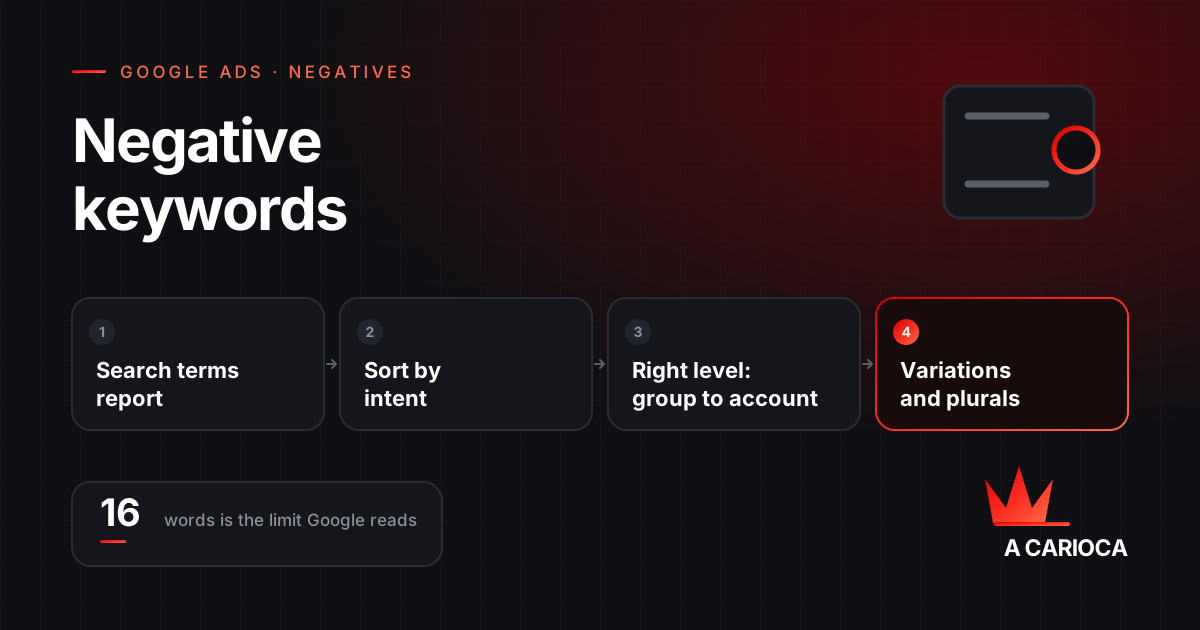
- Negatives block searches containing the term; unlike positives, they do not include plurals, misspellings or variants.
- Broad blocks any order; phrase, the exact sequence; exact, only the identical search.
- Universal terms go to the account or shared lists; specific terms stay in the campaign or ad group.
- The source is the search terms report, read weekly and sorted by cost.
- Performance Max and Shopping accept negatives too, and that is how you stop them cannibalising search.
What negative keywords are and why they matter
A negative keyword prevents your ad from showing when the search contains that term. It is the mechanism that separates "people who want to buy what you sell" from "people who typed similar words for a different reason".
In search accounts running broad match, a meaningful share of budget usually goes to searches with no commercial intent: job seekers, students, people wanting free content or do-it-yourself instructions, competitor brands you do not carry, cities you do not serve. Negatives are the cheapest fix, because they remove the spend without new campaigns, new ads or more budget.
There is a second, less visible effect: well-placed negatives raise the click-through and conversion rate of what remains, which tends to lower cost per click over time. The account gets smaller and sharper.
The three negative match types
Negatives use the same names as positive match types but behave differently. The most important difference: negatives do not include close variants. Plurals, misspellings, synonyms and accented forms must be added one by one.
| Type | Syntax | Blocks when | Example with the negative "free course" |
|---|---|---|---|
| Broad | free course | The search contains all the words, in any order | Blocks "free seo course" and "course free online"; does not block "free courses" or "course at no cost" |
| Phrase | "free course" | The words appear together, in that order | Blocks "best free course for ads"; does not block "course free" |
| Exact | [free course] | The search is exactly that, nothing added | Blocks only "free course" |
In practice, most lists use broad negatives for terms that never convert, such as "jobs", "salary", "free" and "tutorial", and phrase negatives for expressions that only make sense blocked as a unit.
One limit worth knowing: Google only considers the first 16 words of a search when applying negatives. In very long queries, a term that appears after that is not blocked.
Where to apply them: ad group, campaign, list and account
- Ad group: to route a search to the right group. If "seo consulting" should land in the consulting group and not the generic SEO group, negate "consulting" in the generic group.
- Campaign: for terms that never belong in that campaign, such as your own brand name in generic campaigns, so brand searches go to the brand campaign.
- Shared negative lists: one list maintained once and applied to many campaigns. This is where universal terms live: jobs, resume, free, tutorial, pdf, course, meaning.
- Account-level negatives: applied to every search, Shopping and Performance Max campaign in the account at once. The right place for terms that should never trigger anything.
The rule of thumb: the more universal the term, the higher the level. A term that only hurts one campaign stays there; a term that hurts the whole account goes to the account.
Mining the search terms report
The search terms report shows what people actually typed before clicking. It is the primary source of negatives and should be read with a method, not by sampling:
- Filter a recent period (the last 7 to 30 days) and sort by cost. The most expensive terms without conversions are the first candidates.
- Sort each term into one of four buckets: converts, might convert, will never convert, not enough data yet.
- Negate only the third bucket. The fourth needs more data; the second needs a better ad and landing page, not a block.
- For every blocked term, look for its family: plural, singular, misspelling, abbreviation. Add them all.
- Record the decision. Three months later nobody remembers why "maintenance" was blocked, and a term that became relevant again stays blocked out of inertia.
A useful shortcut: terms containing "how to", "what is", "meaning", "example" or "pdf" are almost always informational. Separate that group and ask whether it should be answered by organic content instead of ads.
A starter list by business type
No generic list replaces your own report, but some groups of terms appear in almost every vertical and can be applied from day one:
| Group | Examples | Recommended level |
|---|---|---|
| Jobs and careers | jobs, job, salary, resume, internship, careers, hiring | Account |
| Free and do-it-yourself | free, tutorial, how to, step by step, template, diy | Account, except for businesses selling courses |
| Education | course, degree, university, textbook, pdf, book | Account or shared list |
| Informational | what is, meaning, definition, example, wikipedia | Shared list |
| Geography outside your area | cities and states you do not serve | Campaign |
| Competitors and brands | brands you do not sell or represent | Campaign, case by case |
| Low value | used, cheap, second hand, discount, coupon | Depends on positioning |
Be careful with "cheap" and "discount": for many businesses they convert well. That group goes on the list only when your own report shows it does not convert for you.
Negatives in Performance Max and Shopping
For years Performance Max only accepted brand exclusions and lists applied through Google support. That changed: Performance Max campaigns now accept negative keywords at campaign level, and account-level negatives apply to them too. Alongside came more detailed search term insights and a channel report showing how much spend went to Search, YouTube, Display, Gmail and Discover.
This solves the most common problem with these campaigns: cannibalising the search campaign. Without negatives, Performance Max tends to capture brand searches and the high-intent terms the search campaign was already winning, and the report shows an excellent cost per conversion that was really moved from somewhere else. If your account runs Performance Max, see the guide to keeping Performance Max under control.
In Shopping, negatives remain the main targeting tool, because those campaigns have no positive keywords: the feed decides what shows. Campaign and ad group negatives let you, for example, reserve generic terms for a low-priority campaign and product terms for a high-priority one.
Costly mistakes
- Over-negating. Blocking everything that did not convert in a week removes terms that needed more data. An account with thousands of negatives and little traffic usually has this history.
- Blocking your own brand by accident. A broad negative like "agency" in an account whose name contains that word blocks the entire brand search.
- Conflicts with positives. A negative containing a positive keyword from the same group stops the ad from showing for it. Google warns you, but the warning is easy to miss.
- Forgetting plurals and misspellings. "job" does not block "jobs".
- Wrong level. A universal term placed in a single ad group stays active everywhere else.
- A list built once. Search behaviour changes, products come and go, and the list that protected the account in January is stale by July.
A twenty-minute weekly routine
- Open the search terms report for the last 7 days, sorted by cost.
- Flag terms with no commercial intent and add them as negatives at the right level, with their variations.
- Look for terms that converted and are not keywords yet. Add them as phrase or exact positives.
- Check the negative-positive conflict alerts.
- Log the decisions in one line in the account spreadsheet.
Accounts that do this every week finish the quarter with a lower cost per lead without touching bids or budget. If you manage your own account and want an outside read, the Google Ads audit starts with exactly this report; if you would rather hand over the operation, the routine is described on the Google Ads management page.