
Paid media
Paid media
LinkedIn Ads for B2B: how to structure campaigns that create pipeline
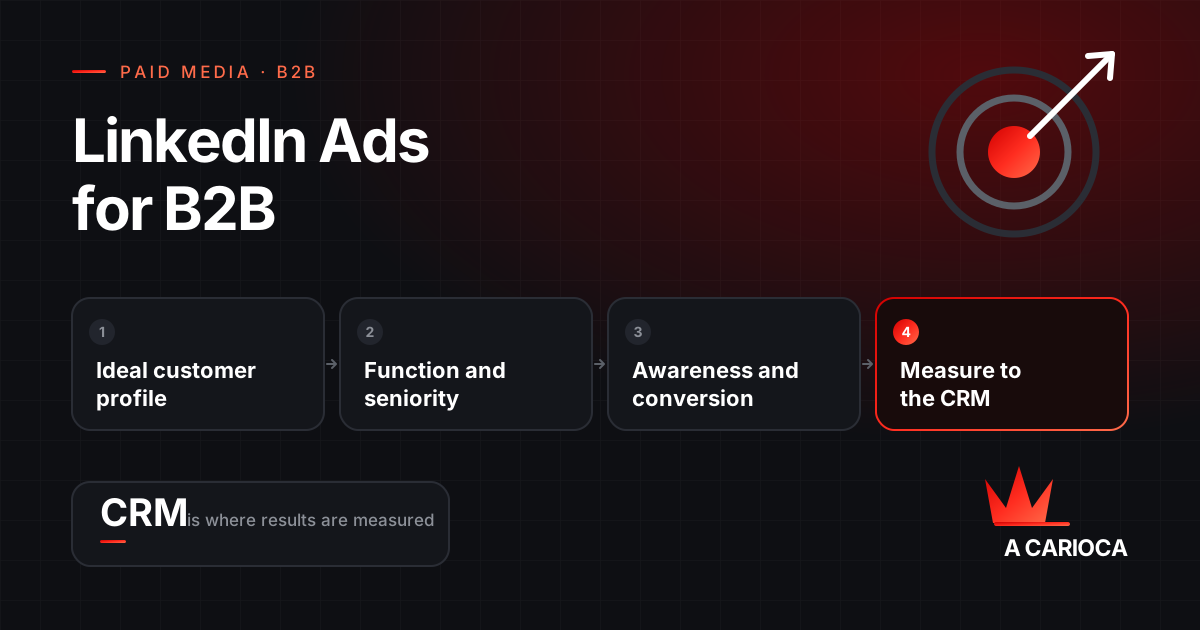
For B2B, build LinkedIn Ads around your ideal customer profile: one campaign group per segment, with audiences defined by job function, seniority and company size, and Audience Expansion turned off. Combine an awareness layer, with video and document ads, and a conversion layer, with Lead Gen Forms for people who already engaged. Then measure all the way to the opportunity in your CRM, not just to the submitted form.
Key takeaways
- Define your ideal customer profile before opening Campaign Manager.
- Target by job function, seniority and company size, not just by typed job title.
- Turn off Audience Expansion and, at first, the LinkedIn Audience Network.
- Use company lists for ABM and exclude customers, competitors and employees.
- Connect forms and conversions to your CRM to optimize for opportunities, not leads.
How Campaign Manager is organized
LinkedIn organizes an account in three levels: campaign groups, campaigns and ads. Objective, audience, budget and bidding are set at the campaign level, and that is where the structure has to reflect your strategy.
A structure that works well for B2B uses the campaign group as the customer segment and the campaigns inside it as funnel stages. That way the reporting answers business questions: which segment generates opportunities, and at what cost.
Account
└── Campaign group: Manufacturing · Operations leadership
    ├── Campaign 1 · Awareness: video and document ads, cold audience
    ├── Campaign 2 · Consideration: people who watched 50% of the video
    └── Campaign 3 · Conversion: Lead Gen Form for document openers
Which campaign objective to choose
The objective decides who LinkedIn shows the ad to and what it optimizes for. Picking the wrong objective means paying to optimize for the wrong thing.
| Objective | Optimizes for | When to use it |
|---|---|---|
| Brand awareness | Impressions in the right audience | Markets where nobody knows the company yet |
| Website visits | Clicks to your site | Driving qualified traffic to content or a product page |
| Engagement | Interactions with the ad | Building a cheaper retargeting audience |
| Video views | People who watch | Educating the market and feeding retargeting by watch time |
| Lead generation | Forms submitted inside LinkedIn | Capturing contacts with minimal friction |
| Website conversions | Actions tracked by the Insight Tag | When conversion happens on your site and is well measured |
Targeting: what sets LinkedIn apart
LinkedIn's value is targeting based on professional data that members keep up to date themselves. The most useful criteria for B2B:
- Job function and seniority combined. More reliable than job titles alone, because the same role shows up under dozens of different titles.
- Job title, when the title is standardized in the market, such as chief financial officer.
- Industry and company size, to narrow down to the profile that buys.
- Skills, carefully: they widen the audience but bring in people who do not make the purchase decision.
- Location, which is required and in B2B usually means the countries or states you serve.
A practical reference: LinkedIn will not run a campaign with fewer than 300 members in the audience. At the other end, overly broad audiences spread the budget across people who will never buy. The sweet spot is the smallest audience that still gives the campaign enough volume to learn.
Two settings to switch off
- Audience Expansion. When on, it adds people similar to your defined audience. In B2B with a precise profile, it tends to bring in people outside the target.
- LinkedIn Audience Network. It serves your ads on partner sites and apps outside LinkedIn. It widens reach, generally with lower lead quality. Keep it off until you have a baseline cost per opportunity.
Exclusions that save budget
Exclude current customers, competitors, your own company and seniority levels that do not take part in the decision, such as interns and students. Every exclusion is budget that stops going to people who will not buy.
ABM: company lists and contact lists
Matched Audiences let you upload company or contact lists to LinkedIn. That is the foundation of account-based marketing: instead of describing your ideal customer, you tell LinkedIn exactly which companies you want to reach.
- Company lists: upload your target accounts and layer job function and seniority on top to reach the decision makers inside them.
- Contact lists: emails from open opportunities, to nurture deals in progress, or from customers, to exclude people who already bought.
- Website retargeting: visitors identified by the Insight Tag, segmented by the pages they viewed.
- Engagement retargeting: people who watched part of a video, opened a Lead Gen Form or interacted with a document ad.
Match rates never reach 100%: work emails that are not on a member's profile go unrecognized. Upload lists large enough that an audience still remains after matching.
Ad formats and where each one performs
| Format | Strength | Funnel stage |
|---|---|---|
| Single image | Easy to produce and test | All |
| Video | Explains complex products and builds retargeting audiences | Awareness and consideration |
| Document | Delivers material in the feed and can gate the download behind a form | Consideration and conversion |
| Carousel | Shows several features or case studies | Consideration |
| Thought Leader Ads | Promotes a post from someone at your company, reading as content rather than an ad | Awareness and trust |
| Message and Conversation Ads | Land in the inbox | Invitations and events, with frequency kept low |
In B2B, content that teaches usually outperforms ads that sell. A document with a diagnostic, an industry benchmark or a technical checklist generates better-qualified leads than a generic invitation to talk to sales.
Lead Gen Forms and CRM integration
Lead Gen Forms arrive prefilled with profile data, which cuts friction and raises conversion rates. The side effect is lower intent, because submitting takes two clicks.
- Include at least one qualifying question, such as company size or project timeline. It lowers volume and raises quality.
- Use hidden fields to record the campaign and segment of each lead.
- Connect the form to your CRM or marketing automation so follow-up happens in minutes, not days.
- Test native forms against your own landing page: native forms produce more leads, landing pages usually produce more sales-ready ones.
Measurement: Insight Tag, Conversions API and CRM
The Insight Tag is LinkedIn's code installed on your site. It tracks conversions, powers retargeting and shows aggregated professional data about your visitors. The Conversions API complements it by sending events straight from your server or CRM, which recovers part of what ad blockers and cookie restrictions hide.
The step that changes results the most is feeding LinkedIn what happens after the lead: opportunity created, proposal sent, deal closed. With those conversions, optimization stops hunting for form fillers and starts hunting for buyers.
On the reporting side, watch cost per opportunity and pipeline value. Cost per lead on its own is misleading: the cheapest lead is rarely the best one.
Bidding, budget and how long to wait
- Maximum delivery: LinkedIn spends the budget chasing the best possible result. A good starting point for learning.
- Cost cap: you set a ceiling per result. Useful once you know what an opportunity is allowed to cost.
- Manual bidding: full control over the bid, in exchange for close and frequent monitoring.
The right budget depends on your sales cycle and contract value, not on a rate card. The math: average contract value, opportunity close rate and margin tell you what you can afford per opportunity. That gives you the maximum acceptable cost, and from it the minimum budget needed to generate readable volume.
Finally, give it time. Judging LinkedIn Ads after thirty days on a six-month sales cycle means judging it before any deal it started could possibly close.
If you are still deciding whether the channel fits your deal size, read is LinkedIn Ads worth it?. To structure and run the campaigns, see our LinkedIn Ads management.